Samsung has released a significant update to its Good Lock NotiStar module, designed to improve notification management on Galaxy smartphones. Available for devices running One UI 5 (Android 13) and newer versions, the update brings several enhancements aimed at addressing issues that users have been experiencing.
Key Enhancements in the NotiStar Update
The NotiStar update, now at version 8.0.88.0, includes several improvements to enhance the user experience:
- Bug Fixes: The update resolves freezing issues that have been affecting the app, ensuring smoother operation across Galaxy devices.
- No More Duplicate Notifications: Samsung has tackled the problem of duplicate notifications, which helps reduce unnecessary clutter and streamline user interaction with notifications.
- New Notification Storage Feature: The most notable new addition is the ability to manage notifications across multiple profiles, such as work profiles, dual messenger apps, and secure folders. This feature allows users to handle notifications more efficiently, no matter how many profiles they use on their device.
How to Get the NotiStar Update
To access the latest update, users can open the Galaxy Store, tap on the hamburger menu at the top-left, select “Updates,” and click on the “Update all” button to download the update. It’s a quick and straightforward way to get the new features and bug fixes.
Other Good Lock Modules
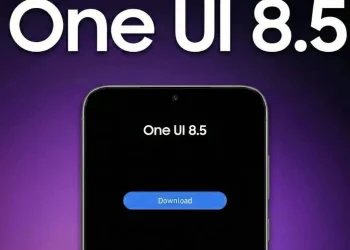
Along with the update, Samsung is also enhancing other Good Lock modules, including LockStar, QuickStar, Home Up, Theme Park, and Game Booster+. These updates are part of the One UI 8.5 (Android 16 QPR2) upgrade, bringing even more functionality to Galaxy devices in the near future.
With the NotiStar update, Samsung improves notification management for Galaxy users, addressing important bugs and adding a helpful new feature. Users can now manage notifications more efficiently across multiple profiles and enjoy a smoother experience with fewer interruptions.